Download free

Outplayed vs Xbox Game Bar

  • Both free
  • Game Bar is built into Windows

Compare Windows’ built-in capture tools with Outplayed’s automatic highlights, editing and sharing

The Short Version

Outplayed

Outplayed is the better all-round tool for most gamers who record and share clips regularly. It saves highlights automatically across many supported games, with extensive event coverage, keeps recordings organized by match, and gives you editing and sharing in one app.

Xbox Game Bar

Game Bar is a good fit for occasional manual recordings. It is included in Windows and saves local MP4 files, but every clip is a manual save, and there is no built-in editor or social sharing.

Which Recorder Fits the Way You Play?

Choose Outplayed If

  • You want supported highlights saved without a hotkey
  • You want to browse recordings by match
  • You want to trim, merge and crop in the same app
  • You want built-in social sharing
  • You want to check automatic-highlight support for your game

Choose Game Bar If

  • You record now and then and are happy to save clips manually
  • You want to use the capture tools included in Windows
  • You use Xbox party chat and other Game Bar widgets
  • A local MP4 fits your workflow

Feature by Feature

Compare automatic capture, editing, sharing and the Windows tools you already use

FeatureOutplayedXbox Game Bar
Automatic highlight captureYes, across many games, with extensive event coverageNo. Background recording is saved manually
Built-in editorTrim, merge, crop, montageNo built-in editor; basic trimming is available through a separate Windows app
SharingTikTok, Discord, WhatsApp, YouTube, RedditSaves MP4 files for use with other apps
Cloud hosting and a share linkNo expiration date on shared clips, on Core and PremiumNone
In-game overlayReview captures without alt-tabbingWidget overlay, opened with Windows and G
Encoder requirementNVIDIA, AMD or Intel hardware encodingIntel Quick Sync H.264 or later, NVIDIA NVENC, or AMD VCE
Where recordings goYour Outplayed library, organized by matchVideos, then Captures, as MP4 named by app and timestamp
Capture quality and buffer lengthUp to 4K at 60 fps; 15 seconds to 10 minutes for manual replay captureVaries by Windows version and capture settings
PriceFree, optional PremiumFree, part of Windows

Keep Playing When the Moment Happens

Game Bar’s background capture lets you save recent gameplay manually. Outplayed reads game events to capture highlights automatically across many games, with extensive event coverage, so you keep the moment while your hands stay on the match.

Xbox Game Bar

Built Into Windows

Game Bar offers a convenient starting point for manual recording

Automatic highlights

Captured Automatically

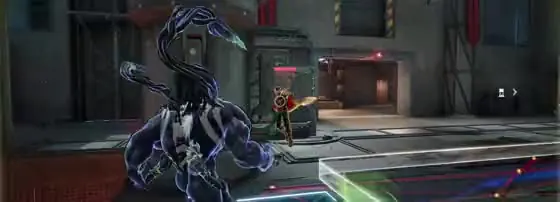
Capture supported moments, such as spike defuses in VALORANT, and review them after the action

REC 00:42

Check Your Game’s Options

Automatic-highlight support varies by game. Full match, manual and screen recording provide other capture options

Check your game
In development

What’s in Development

These features are in development and are not included in the comparison of currently available features

  • Standalone Install

    Use Outplayed without a separate Overwolf client

  • Mobile Support

    Access your clips from your phone

  • Full-Video Hosting

    Host full videos alongside your clips

  • Clips You Appear In

    Discover moments other players recorded of you

  • Voice-Activated Clipping

    Save a clip with a voice command

  • Editor Sound and Visual Effects

    Add sound and visual effects to your edits

Your Questions, Answered

Is Xbox Game Bar Enough for Recording Gameplay?

For occasional manual recordings, yes. Game Bar is included in Windows, and Windows + Alt + R starts a recording. Outplayed adds supported automatic highlights, an integrated editor and built-in sharing.

Does Game Bar Clip Highlights Automatically?

Game Bar can record in the background, but saving recent footage is a manual action. Outplayed can save supported game-event highlights automatically.

Where Does Game Bar Save Recordings?

By default, recordings are saved as MP4 files in the Captures folder inside Videos.

What Hardware Does Game Bar Recording Need?

Recording requires a compatible encoder: Intel Quick Sync H.264 or later, NVIDIA NVENC, or AMD VCE. Screenshots work on Windows 10 and 11 PCs without the recording-encoder requirement. Outplayed supports compatible hardware from NVIDIA, AMD and Intel.

Can I Run Both?

Yes, but recording the same session in two apps can increase resource use. Keep the capture options you need and turn off the rest.

Is Outplayed Free?

Yes. Core is free, and Premium is optional. Game Bar is included in Windows.

Find your game, capture supported highlights and turn them into something worth sharing

Browse supported games